The card machine becomes most visible at the exact moment a guest is ready to leave. If it is slow, disconnected from the bill, or difficult for staff to use, the final impression of an otherwise good meal can suffer. Restaurant card machines need to do more than accept tap payments. They should suit the way your team takes orders, manages tables, splits bills, and keeps service moving during busy periods.
For an independent restaurant, choosing the right setup is rarely about finding the machine with the longest feature list. It is about matching the technology to your service style and understanding the ongoing cost of taking payments. A small neighborhood bistro, a busy seafront café, and a pub serving food may all need different things.
Choosing Restaurant Card Machines for How You Take Payments
Before comparing providers or devices, look closely at a typical service. Where do guests usually pay? Do staff take the card machine to the table, ask customers to pay at a counter, or do both? How often do guests split a bill between several people? The answers make the right choice much clearer.
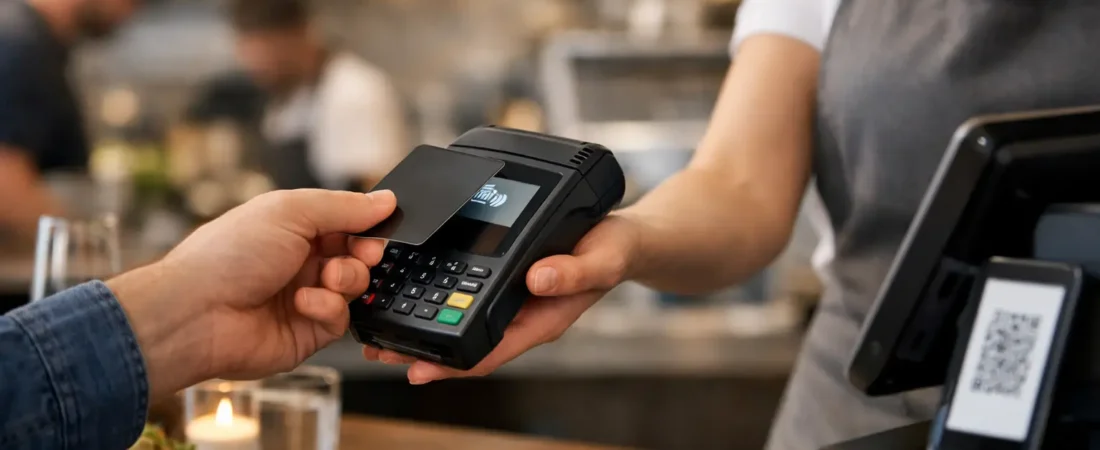
A counter-based terminal can be perfectly suitable for a quick-service restaurant or takeaway where guests order and pay in one place. It is simple, familiar, and can keep the front counter organized. For table service, portable restaurant card machines are often more practical. Staff can take the payment device to the table, show the amount to the customer, and avoid trips back and forth to a fixed till.
This is not just a convenience. When the payment happens at the table, staff can turn tables more quickly, guests have more confidence that they are approving the correct amount, and the team can stay focused on the dining room. In a restaurant with a terrace, garden, or multiple rooms, portable coverage matters even more.
You should also consider peak periods rather than quiet weekday afternoons. A single device may look adequate when there are only a few tables occupied. On a busy Friday evening, it can become a bottleneck. If staff are waiting for one terminal to be returned, service slows down and payment queues form at the wrong time.
What restaurant card machines should do well
The core job is simple: accept card and contactless payments reliably. However, a suitable setup should also reduce small daily frustrations for staff and owners. The features that matter most are usually speed, portability, clear receipts, battery life, and a straightforward way to review transactions.
For most restaurants, the key question is whether the card machine works independently or as part of an EPOS system. A standalone machine is often a sensible starting point for a small operation with a basic cash register. It can be quick to set up and may be easier to move between the counter and tables.
An integrated payment and EPOS setup can be more useful where orders, table numbers, menus, and bills are managed electronically. Once a server selects the table and sends the bill to the payment device, there is less need to type the amount manually. That can save time and reduce the chance of a payment amount being entered incorrectly.
Integration is not automatically necessary, though. If your current till system works well and your payment volume is modest, replacing everything at once may add expense without solving a real problem. It depends on whether the existing process creates delays, errors, or extra administration.
Table service, tips, and split bills
Restaurants commonly need more flexibility than a standard retail checkout. Look at how easily the system handles tipping, partial payments, and split bills before committing to it.
A tip prompt can be useful when it is presented clearly and gives guests a simple choice. The setting should feel appropriate for your style of restaurant, not awkward or overly pushy. Staff should know how the process works so they can answer a guest’s question without hesitation.
Splitting bills deserves particular attention. Some systems can divide a table by guest, item, or equal share. Others require staff to calculate separate amounts and process them one by one. Neither approach is wrong, but a restaurant that regularly serves groups will benefit from a clear, repeatable process. It can prevent the last ten minutes of a busy sitting being taken up with manual calculations.
Receipts and payment records
Digital receipts are useful for many guests and can reduce paper use, but printed receipts may still be helpful in some settings. Consider what your customers expect and what your team needs for day-to-day reconciliation.
As an owner, you should be able to see payment activity without searching through piles of receipt rolls. A clear transaction history helps when checking a disputed amount, reviewing a shift, or comparing card sales against your EPOS totals. The aim is not more reports for their own sake. It is to make end-of-day checks faster and easier to trust.
Compare Restaurant Card Machine Costs Beyond the Device Price
A low upfront price does not always mean lower overall costs, and a higher-priced device is not always poor value. The practical comparison is the total cost of accepting payments over time.
Start with the card processing rate. This is the percentage charged when a customer pays by card. For a restaurant with steady transaction volume, even a small difference can add up over a year. Ask whether the rate is clear, whether it applies consistently to the cards your customers use, and whether there are separate charges for refunds or other services.
Then check for fixed costs. These may include monthly software subscriptions, terminal rental, SIM connectivity, receipt paper, or EPOS features. A monthly package can make sense when it replaces several separate tools or gives you functions you genuinely use. It is less attractive if you are paying for table plans, stock tools, or staff features that do not fit your operation.
Do not overlook settlement timing. Knowing when card takings reach your business account helps with cash flow, particularly when suppliers, payroll, and rent fall close together. Payment providers can offer different settlement arrangements, so it is worth confirming what to expect before you switch.
A useful way to compare options is to take a recent month of card sales and work out the likely processing cost under each option. Add any fixed monthly charges and the cost of equipment. This gives you a realistic comparison rather than one based only on a headline rate.
Think about Wi-Fi, mobile connection, and backup plans
A payment device is only useful when it can connect. Restaurants often have weak spots: a basement dining room, a garden, a thick-walled older building, or a busy kitchen area where Wi-Fi is unreliable. Test the places where staff will actually use the machine, not just the area beside the router.
Some terminals use Wi-Fi, while others can use mobile data through a built-in SIM or a separate connection. A mobile connection can give more freedom around the venue, but signal strength varies by location. Wi-Fi may be stable inside the building but will depend on your internet service and network setup.
It is wise to have a practical fallback for a connection problem or a flat battery. This could mean keeping a second charged terminal available during service, ensuring devices are charged between shifts, or having a counter terminal available if a portable unit is out of action. The right backup is usually simple, affordable, and familiar to staff.
Make setup and staff training part of the decision
A card machine should not require a lengthy technical project, but a rushed setup can create avoidable problems. Menu items, table layouts, tipping settings, receipt options, and user permissions should reflect how your restaurant actually works.
Bring a few staff members into the process early, especially those who handle payments every shift. Ask them to test the flow: opening a table, correcting an item, splitting a bill, taking a tip, issuing a refund, and closing the day. Their feedback often identifies issues an owner may not see from behind the scenes.
Good support also matters after installation. A restaurant cannot always wait until the next working day if a terminal stops working before a Saturday evening service. For independent businesses in Dorset and the surrounding BH and DT areas, having access to local, face-to-face advice can be reassuring when you are changing payment or EPOS systems.
Choose a setup that can grow with you
The right system for one location today should not make a second site harder tomorrow. If you plan to add a takeaway counter, online ordering, a coffee kiosk, or another restaurant, ask whether your payment records and EPOS tools can scale without creating duplicate work.
That does not mean buying every possible feature now. Start with what makes service smoother and costs clearer, then add tools when there is a genuine need. For example, a small restaurant may begin with portable payment terminals and later add an integrated EPOS system when table management and reporting become more demanding.
If you are reviewing restaurant card machines, a free, no-obligation payment and EPOS review can help you compare your current costs, service process, and realistic alternatives. The most useful payment setup is the one your staff can use confidently and your guests barely have to think about.

Let’s Talk About Your Business
Hi, I’m Richard Bradley, your local SumUp Business Partner .
I help independent businesses across Dorset reduce card payment costs, choose the right card machines and EPOS systems, and receive honest, local advice.
Questions about this article? Looking to reduce your card payment costs? Book your free, no-obligation payment review today.
✓ Local Dorset Business Partner ✓ Free Payment Review ✓ No Obligation
Book Your Free Payment Review