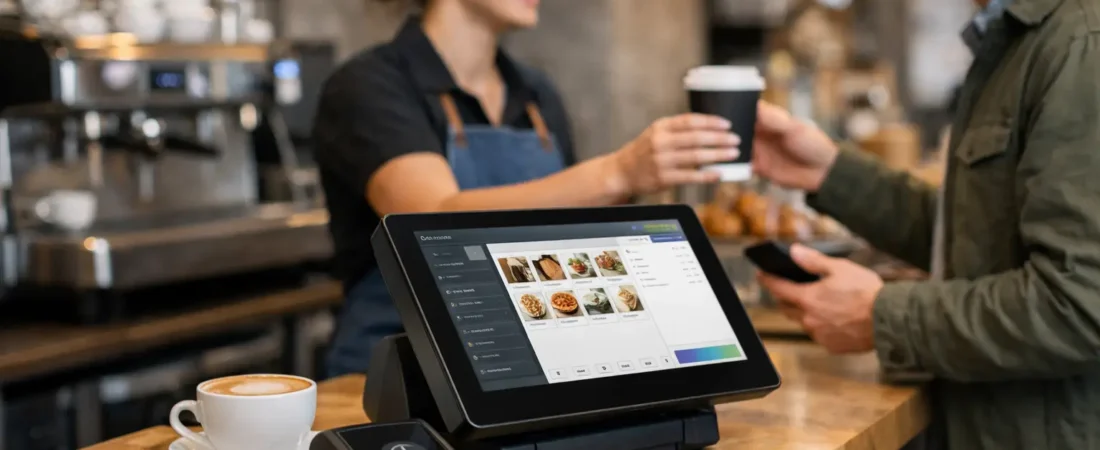
The morning rush is not the time to be looking for a missing price button, calculating a modified order in your head, or trying to remember whether a customer has already paid. A well-chosen cafe epos system gives your team a clear, quick way to take orders and payments while keeping a better handle on the numbers behind the counter.
For an independent cafe, the right setup should make service easier without adding unnecessary complexity. It should suit the way you sell – whether that is takeaway coffee, pastries, breakfast plates, retail bags of beans, or all of the above. The aim is practical: fewer delays, fewer mistakes, and clearer information for the person running the business.
What a cafe EPOS system should do
EPOS means electronic point of sale. In a cafe, it is usually the touchscreen or tablet where staff enter orders, combined with a card terminal and software that records sales. Depending on the setup, it can also send tickets to a kitchen printer or display, track stock, manage staff permissions, and produce sales reports.
A card reader alone may be enough for a very simple counter operation. But once you have several menu items, regular modifiers, staff members, or a kitchen, an EPOS system can save time every day. The value comes from joining up the steps that are often handled separately: taking an order, taking payment, producing a ticket, and reviewing sales.
That does not mean every café needs every feature. A small kiosk serving a short drinks menu has different needs from a busy café with table service and weekend brunch. Choosing too much system can be as frustrating as choosing too little.
How Cafe EPOS Can Help During Your Busiest 30 Minutes
The most useful way to assess cafe EPOS is to look closely at the part of the day when pressure is highest. Ask what slows the team down between a customer joining the line and walking away with their order.
For some cafes, the problem is a crowded menu screen. For others, it is manually passing food orders to the kitchen, checking split bills, or correcting prices after staff select the wrong item. Write down the common interruptions for a week. They reveal more than a generic feature checklist.
A good counter screen should reflect how customers order. Popular drinks and food items need to be easy to find. Modifiers such as alternative milk, extra shots, decaf, syrups, and takeaway cups should be quick to add. If staff have to tap through several screens for a standard oat milk latte, the system is working against them.
Speed also depends on sensible menu design. Group items in a clear order, use plain names, and avoid filling the screen with products that are rarely sold. A supplier can help configure the system, but café owners should remain involved. You know which items customers ask for and which combinations create confusion.
Cafe EPOS Features That Make a Real Difference
Fast order entry and sensible modifiers
Modifiers matter more in cafes than many owners first expect. They allow staff to record requests accurately and charge correctly where needed. The point is not to create a long list of options. It is to cover the changes your team hears repeatedly, so the order is clear at the counter and in the kitchen.
For example, a breakfast menu might need options for bread type, eggs, add-ons, and dietary changes. A drinks menu may need size, milk, temperature, and syrup choices. Set these up in a consistent order. It reduces training time and makes it less likely that a paid add-on is missed.
Kitchen tickets or a kitchen display
If food preparation is part of the operation, orders need to reach the right place without delay. A printed kitchen ticket can be perfectly suitable for a smaller cafe. A kitchen display can be helpful where order volume is high, tickets go missing, or several people prepare food.
The right choice depends on the layout and the team. Printed tickets are familiar and simple. Screens can reduce paper and make it easier to see what is outstanding, but they need a reliable position in the kitchen and staff buy-in. There is no benefit in changing a process that already works well simply because a feature is available.
Card payments at the point of order
Taking card or contactless payment directly alongside the order helps keep the line moving and reduces the risk of an order being left open by mistake. It also gives customers the quick checkout they increasingly expect, particularly for takeaway purchases.
Check how the payment terminal works with the EPOS system. Ideally, the total should pass through automatically, rather than requiring staff to type it into a separate device. This removes one repeated task and can reduce keying errors. It is still worth having a clear process for refunds, voids, and occasional connection problems, so staff know what to do when service is busy.
Clear sales reporting
Daily totals are useful, but the more valuable reports answer practical questions. Which drinks sell well in the morning? Are food add-ons being selected? Which days are quieter than expected? Does a promotion lead to additional sales, or simply discount items people would have bought anyway?
You do not need to spend hours studying reports. A regular 15-minute review can be enough. Look for patterns, then act on one or two of them. You might change the position of a product on the menu, adjust ordering levels, or schedule more help during a predictable rush.
Product and stock awareness
Not every cafe needs detailed ingredient-level stock control. It takes time to set up and only works if information is kept accurate. However, basic product tracking can still be useful for retail items, packaged cakes, bags of coffee, and other goods that can sell out unnoticed.
If stock control is a priority, be realistic about who will maintain it. A simple system used consistently is more valuable than an advanced one that is ignored after the first month.
Avoid paying for features you will not use
When comparing systems, focus on your daily operation before comparing long feature lists. Table plans, online ordering, loyalty programs, invoicing, and staff time tracking can all be useful. They are not automatically useful for every cafe.
A café with table service may benefit from table numbers and the ability to split bills. A counter-only coffee shop may place more value on a fast checkout screen and a compact card terminal. A venue selling coffee beans online or taking pre-orders might need payment links or an online store. The system should match the business you run now, with enough room for sensible growth.
Also consider the full cost, not just the headline price of the hardware. Ask about payment processing rates, monthly software fees, optional add-ons, replacement devices, printer supplies, and contract terms. Transparent pricing makes it easier to work out whether a change will genuinely reduce costs or improve efficiency.
Cafe EPOS Setup and Staff Training
Even a straightforward cafe EPOS system needs careful setup. Menu prices, modifiers, tax settings, receipt preferences, user permissions, printers, and payment devices all need checking before the first busy service. Rushing this stage can create avoidable frustration for staff and customers.
Build in time to test typical orders. Put through a latte with an alternative milk, a breakfast order with add-ons, a discount if you use one, a refund, and a split payment. Make sure kitchen tickets are readable and that prices match the menu. It is far easier to correct problems before launch than while a line is forming at the counter.
Training should be practical and short. Staff need to know how to take normal orders confidently, correct a mistake, process a refund according to your business procedure, and get help when something is not working. Give managers different access from casual team members so that sensitive functions are protected without slowing routine service.
Local, face-to-face support can be particularly valuable for independent cafés that do not have an in-house technology team. It gives you someone who can see the counter layout, understand how the team works, and help configure a system around the real operation rather than an idealized version of it.
A simple way to choose cafe EPOS
Before making a decision, list your must-haves, useful extras, and features you are unlikely to use. Then compare a small number of suitable options against your actual menu, service style, number of staff, and expected payment volume. A demonstration using your own products is more useful than a generic walkthrough.
Do not overlook reliability. Ask what happens if the internet connection drops, whether the terminal has mobile connectivity options, how support is provided, and how easy it is to replace a device if needed. No technology is completely trouble-free, but a clear backup plan helps protect service.
For cafes across Dorset and the wider South West, Richard Bradley can provide a free, no-obligation review of your current payment and EPOS setup. A short conversation about your counter flow, menu, and costs can help identify whether a simpler setup, a better-connected system, or no change at all is the sensible next step.
If you’re reviewing your payment setup as well as your cafe EPOS, read our guide to restaurant card machines and what matters when choosing the right system.

Let’s Talk About Your Business
Hi, I’m Richard Bradley, your local SumUp Business Partner .
I help independent businesses across Dorset reduce card payment costs, choose the right card machines and EPOS systems, and receive honest, local advice.
Questions about this article? Looking to reduce your card payment costs? Book your free, no-obligation payment review today.
✓ Local Dorset Business Partner ✓ Free Payment Review ✓ No Obligation
Book Your Free Payment Review