A busy Saturday morning can expose every weakness in the way a business takes payments. A café queue slows when staff must key in orders twice. A salon loses time chasing deposits. A tradesperson waits weeks for an invoice to be paid. These are not simply payment problems – they affect customer experience, cash flow, and the time available to run the business.
The right business payment systems bring card payments, sales records, invoices, payment links, and day-to-day reporting into a setup that suits how you actually work. The right choice is not necessarily the system with the longest feature list. It is the one that removes friction without adding unnecessary cost or complexity.
What business payment systems should do
For a small independent business, a payment system should make it easy for customers to pay in the way they prefer, while giving the owner a clear view of money coming in. That often starts with a card terminal, but it may also include an EPOS system, online checkout, invoices, QR code payments, booking deposits, and a business account.
The mix depends on the business. A bakery with a fast-moving counter needs quick contactless payments and straightforward product buttons. A restaurant may need table management, order routing, and the ability to split a bill. A decorator or plumber may get more value from mobile card payments and payment links sent as soon as a job is complete.
A useful system should help you do three things: take payment promptly, reduce manual admin, and understand what is selling. If it does not improve at least one of those areas, it may be more technology than you need.
Start with how customers pay you
Before comparing providers or devices, look at the last few weeks of transactions. Consider where payment happens, when it happens, and whether customers are ever kept waiting.
For example, a small retail shop may take nearly every payment at the counter. A fixed terminal with a clear checkout flow may be enough. A pub with outdoor seating may need portable devices so staff can take payments at the table. A guest house may need to collect deposits when a booking is made, then take the balance later. These are different payment journeys, so they should not be forced into the same setup.
It is also worth considering the payment methods your customers already ask for. Contactless cards and mobile wallets are expected in many settings. Payment links can be useful for remote orders, deposits, and trades invoices. QR codes can suit quick-service venues, provided they make the experience easier rather than leaving customers unsure what to do.
The aim is not to offer every possible payment method. It is to remove the points where a sale is delayed, forgotten, or harder than it needs to be.
Card terminals: simple does not mean limited
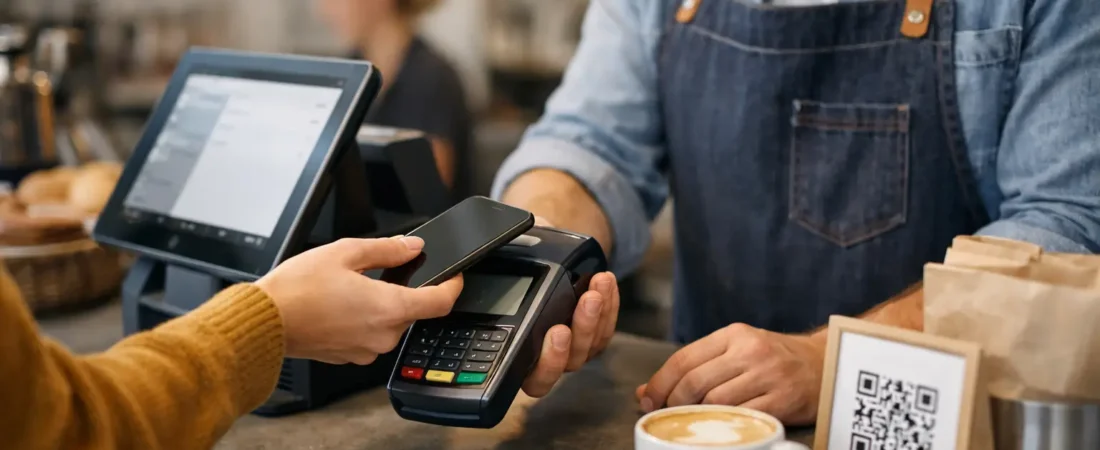
A card terminal is often the first step in modernizing payments. For many small businesses, it is all that is required. Modern terminals can accept contactless cards, chip and PIN, and mobile wallet payments, with receipts by email or text where appropriate.
The key question is whether the terminal suits the environment. A fixed countertop device works well where staff stay in one place. A portable device is useful for restaurants, salons, market stalls, and businesses that take payments around a venue. A compact mobile terminal can be practical for tradespeople visiting customers or working across several locations.
Look beyond the purchase price. Ask about transaction fees, whether there is a monthly charge, how quickly funds are available, and whether the terminal can grow with you. A low-cost device may be a good fit for an occasional seller, while a busy business may benefit from a setup that provides clearer reporting or integrates with its point-of-sale system.
When an EPOS system earns its place
An electronic point-of-sale, or EPOS, system is useful when the checkout needs to do more than process a payment. It can record products sold, organize menus, manage stock, track staff activity, apply discounts, and produce sales reports.
For a café, an EPOS system can send orders to the kitchen and show which items are selling at different times of day. For a boutique, it can help identify slow-moving stock and make returns easier to handle. For a salon, it may combine appointments, customer notes, retail product sales, and checkout in one place.
However, EPOS is not automatically the right answer. If you sell a small number of services or products and only need to take card payments, a full system can be unnecessary. It brings a learning curve, equipment costs, and more settings to manage. The value comes when it replaces repetitive tasks or gives information you will genuinely use.
Check the payment and EPOS connection
Where possible, payment and sales data should work together. If staff must enter the total on an EPOS screen and then enter it again on a separate terminal, mistakes become more likely and reconciliation takes longer at the end of the day.
An integrated setup can send the payment total directly to the terminal and mark the sale as paid once approved. That saves a few seconds per transaction, but over hundreds of transactions it can make a real difference. It also makes it easier to investigate mismatches between card takings, cash, refunds, and sales reports.
Integration is not essential for every business, so weigh the benefit against the cost. The important point is to know how your end-of-day process will work before committing.
Costs: compare the whole picture
Payment processing costs matter, especially when margins are tight. Yet comparing one headline transaction rate is rarely enough. A system can have a competitive rate but add charges for hardware, monthly software, premium features, refunds, invoices, or additional users.
When reviewing a business payment system, gather the full monthly picture. Include the typical card sales value, average transaction size, number of terminals, software needs, and any features you rely on. A business that processes many small payments may view fees differently from a business that takes fewer, higher-value deposits.
Also consider the cost of lost time. If an owner spends an hour each week manually matching transactions to invoices, or staff regularly correct order errors, that has a cost even if it does not appear on a provider statement. A slightly different fee structure may be worthwhile if it removes an admin task or helps staff serve customers more quickly.
Avoid choosing solely on cost or solely on features. The useful comparison is the total cost against the time saved, clarity gained, and customer experience improved.
Support matters when the counter is busy
Payment technology tends to be noticed only when it stops working or when a staff member is unsure what to do. Clear setup, practical training, and access to support are therefore part of the product, not an afterthought.
Before choosing, find out how replacement devices are handled, whether staff can be trained on the system, and what support is available if payments fail during trading hours. For businesses with several team members or seasonal staff, a simple checkout process is often more valuable than advanced features that nobody confidently uses.
Local, face-to-face support can be particularly helpful for independent businesses in Dorset that prefer someone to look at the counter layout, Wi-Fi coverage, menu flow, or current processes in person. It can prevent a system from being selected in isolation, then discovered to be awkward once installed.
A practical way to choose your setup
Start by writing down your current payment journey from the customer’s point of view. Include how orders are taken, how deposits are collected, how refunds are handled, and how you check the day’s takings. Then identify the one or two areas causing the most delay, confusion, or manual work.
Next, decide what is essential now and what may be useful later. A retailer may need stock control immediately but not online payments. A new café may begin with a terminal and basic EPOS, then add loyalty features once regular trade is established. Choosing a system that can expand is sensible; paying for features before they are useful is not.
Finally, ask for pricing based on your real trading pattern, not a generic example. Be clear about monthly card turnover, the types of payments you take, and the number of locations or devices required. That gives you a more meaningful comparison and reduces surprises after setup.
A good payment system should feel like part of the way your business operates, not another task to manage. If you are unsure whether your current terminal, EPOS, invoicing, or online payment setup is costing more time or money than it should, Richard Bradley can provide a free, no-obligation payment review and talk through practical options for your business.

Let’s Talk About Your Business
Hi, I’m Richard Bradley, your local SumUp Business Partner .
I help independent businesses across Dorset reduce card payment costs, choose the right card machines and EPOS systems, and receive honest, local advice.
Questions about this article? Looking to reduce your card payment costs? Book your free, no-obligation payment review today.
✓ Local Dorset Business Partner ✓ Free Payment Review ✓ No Obligation
Book Your Free Payment Review