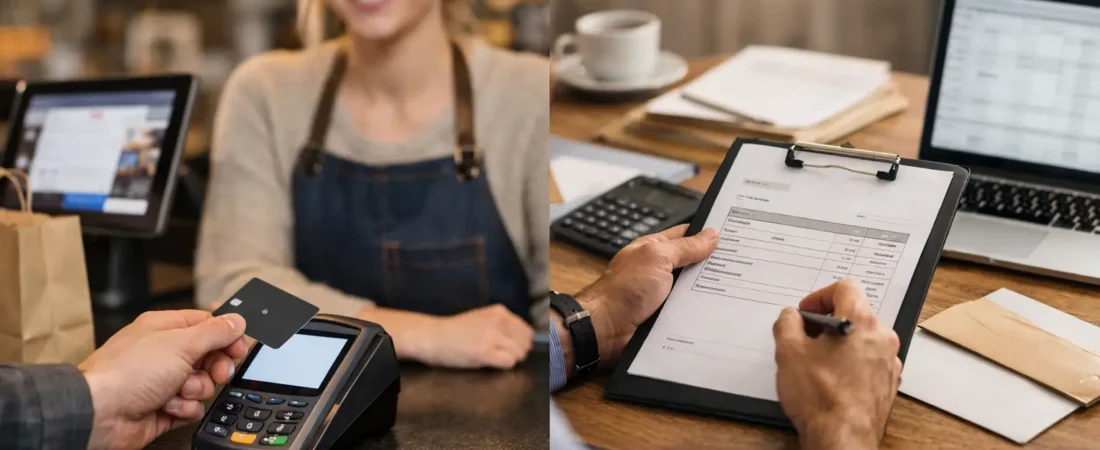
A customer has agreed to buy. The work is complete, the order is packed, or the appointment is booked. The next question is simple: how should they pay? Online checkout versus invoices is not just a technical choice. It affects how quickly money reaches your account, how much follow-up your team does, and how easy the buying experience feels for the customer.
For many independent businesses, the right answer is not one method for every sale. A café selling gift cards, a plumber finishing a job, and a hotel taking a group booking have different payment moments. Understanding those moments helps you use checkout, invoices, and payment links with purpose rather than adding unnecessary steps.
What is the difference between online checkout and invoices?
Online checkout is a payment page where the customer selects what they want, enters their details, and pays immediately. It is common for products, deposits, bookings, gift cards, and fixed-price services. The payment is completed as part of placing the order.
An invoice is a request for payment sent after you have agreed the work, supplied goods, or calculated the final amount. It normally includes a description of what is being charged, the total due, payment terms, and a due date. A good digital invoice can include a button that lets the customer pay by card as soon as they open it.
The difference is mainly about timing and certainty. Checkout asks for payment before or at the point of purchase. An invoice records an amount owed and allows payment later. Both can take card payments, and both can be useful for managing a small business.
When online checkout is the better fit
Online checkout works well when the price is clear before the customer commits. If you sell a fixed package, event tickets, retail products, a standard consultation, or a booking deposit, asking customers to pay as they order keeps the process straightforward.
A salon, for example, may take a deposit through an online checkout page when a client books a longer appointment. This reduces the need to chase deposits manually and gives the client a clear confirmation that their booking is secured. A bakery taking holiday orders can use checkout to collect payment when customers select their collection date and products.
For businesses with repeatable services, checkout can also reduce administration. Rather than creating individual invoices for ten identical workshop places or twenty gift vouchers, customers complete their own payment details. The business receives an order record and can focus on fulfillment.
Checkout has limits, though. It becomes less suitable where the final price depends on time, materials, delivery, a site visit, or customer choices that have not yet been confirmed. Trying to force a variable job through a fixed checkout can lead to refunds, awkward adjustments, and confused customers.
Benefits of taking payment at checkout
The main benefit is speed. Payment is authorized before you prepare the order, reserve the time, or send the goods. That can support cash flow and reduce the number of unpaid balances sitting on your books.
It can also make buying easier outside opening hours. A customer can pay for a gift card or book a service when it suits them, without calling the business or waiting for someone to send payment instructions. For a busy owner, fewer manual messages can make a real difference.
That said, checkout should be clear. Show what the customer is paying for, whether it is a deposit or full payment, and what happens next. Clear labels prevent the common problem of customers assuming a deposit covers the entire service.
When invoices make more sense
Invoices are better for work that is quoted, tailored, or completed before the final cost is known. Tradespeople, caterers, B2B suppliers, photographers, and service businesses often need to account for labor, materials, call-out charges, or agreed changes to the original job.
Take a decorator who quotes for a room but finds additional preparation is needed once work begins. An invoice can show the original work, the agreed extra work, and the final total in one clear document. The customer sees exactly what they are paying for, and the business has a useful payment record.
Invoices also suit payment schedules. A hotel may invoice a business customer for a group stay, while a contractor may request an upfront deposit, a stage payment, and a final balance. Each request can be tied to a distinct milestone rather than asking for the whole amount before the work is complete.
The downside is that invoices can delay payment if customers need to make a bank transfer, find a card, or ask someone else to approve the bill. A payment-enabled invoice helps remove that friction. Instead of reading the invoice and then taking separate action, the customer can pay directly from it.
Make invoices easier to pay
An invoice should be accurate, recognizable, and simple to act on. Use your business name consistently, describe the goods or services in plain language, state the due date clearly, and include an easy card payment option where appropriate.
It is also worth agreeing payment expectations before starting work. A customer is less likely to delay payment when they understand in advance whether a deposit is required, when the balance is due, and which methods you accept. This is good customer service, not pressure.
If you regularly chase invoices, look at the cause before sending more reminders. It may be that due dates are unclear, invoices are sent too late, or customers have to take too many steps to pay. Small changes to the process often save more time than writing firmer emails.
Online checkout versus invoices: compare the practical impact
The choice comes down to how your business sells. Online checkout is strongest where the customer can choose and pay without help. Invoices are strongest where you need to confirm the amount, document the work, or allow payment after delivery.
Consider four practical questions before setting up either method:
- Is the price fixed before the customer buys?
- Do you need payment before reserving stock, staff time, or a booking?
- Could the amount change after work begins?
- Does the customer need an itemized record for approval or their own accounts?
If the first two answers are yes, checkout is often the natural starting point. If the latter two are yes, invoicing is likely to be more suitable. There are exceptions. A retailer might invoice a local business for a large special order, while a tradesperson might take a fixed diagnostic fee through checkout before visiting a site.
Processing cost matters, but it should not be the only deciding factor. Compare transaction fees, monthly charges, refund handling, and the time your team spends creating, sending, and chasing payments. A lower headline rate is not always cheaper if the system adds hours of manual work or makes payment harder for customers.
Use a combined approach when the sale has stages
Many small businesses benefit from using checkout and invoices together. A restaurant taking a private event booking could collect a fixed deposit through an online payment page, then send an invoice for the final food, drinks, and service charge after numbers are confirmed. A builder may take a deposit by payment link, invoice agreed stage payments, and take the final balance in person by card.
Payment links are particularly useful in the middle ground. They let you request a specific amount without building a full online store or asking the customer to type in bank details. You can send one by text, email, or message after agreeing the amount. For a florist taking a custom order or a mobile business collecting a balance, that can be quicker than producing a formal invoice while still giving the customer a convenient way to pay.
The goal is not to offer every possible option. Too many choices can create confusion. Choose a small set of payment routes that match the way customers actually buy from you, then make those routes consistent across your website, booking process, and staff conversations.
Set up a payment process your team can follow
A simple process avoids missed deposits and unpaid final balances. Decide when payment is taken, who sends the request, how reminders are handled, and where payment status is recorded. If you use an EPOS system, booking platform, or accounting software, check whether payment information can be matched to the sale without duplicate entry.
Train staff to use the same wording. For example: “Your deposit is due when you book, and the remaining balance will be sent by invoice after the service,” or “We will send a secure payment link once we have confirmed your order.” Customers value clarity more than complicated terminology.
Review the process after a few weeks. Look for orders that are abandoned, invoices that are paid late, repeated customer questions, and time-consuming manual tasks. Those are useful signs that the payment journey needs adjusting.
If you are unsure whether online checkout, invoices, or payment links suit your business, Richard Bradley can provide a free, no-obligation review of your current payment setup. The most useful solution is usually the one that makes it easier for customers to pay while giving you a clear, dependable process to manage every day.

Let’s Talk About Your Business
Hi, I’m Richard Bradley, your local SumUp Business Partner .
I help independent businesses across Dorset reduce card payment costs, choose the right card machines and EPOS systems, and receive honest, local advice.
Questions about this article? Looking to reduce your card payment costs? Book your free, no-obligation payment review today.
✓ Local Dorset Business Partner ✓ Free Payment Review ✓ No Obligation
Book Your Free Payment Review