A busy lunch service quickly shows whether your technology is helping or getting in the way. If staff are writing orders by hand, typing prices into a separate card terminal, or searching for stock information at the counter, the right system can save valuable time. The best epos system is not necessarily the one with the longest feature list. It is the one that suits how your business actually takes orders, accepts payments, manages staff, and serves customers.
For an independent café, shop, salon, pub, hotel, or service business, the decision should be practical. You need a setup that is straightforward to use, clear to manage, and flexible enough to support the next stage of your business.
What Makes the Best EPOS System for Your Business?
EPOS stands for electronic point of sale. In simple terms, it is the system used to record sales, take payments, issue receipts, and report on what has been sold. Modern systems can also bring together ordering, stock, customer loyalty, staff permissions, table plans, and accounting information.
However, not every business needs every feature. A small bakery with one till has different requirements from a restaurant with table service, kitchen printers, and several staff taking orders. Buying too little can leave you relying on workarounds. Buying too much can mean paying for functions that nobody uses.
Start with the bottlenecks in your current setup. Perhaps queues build up when customers want to pay by card. Maybe staff have to enter the same amount into both a till and a card machine. You may find it hard to see which products sell well, or spend too much time matching daily takings to your records. These are the problems an EPOS system should solve.
Start With Your Day-to-Day Service
Think through a normal busy day rather than focusing on a product brochure. Ask how orders are taken, where payments happen, who needs access to sales information, and what staff need to do when an item is unavailable.
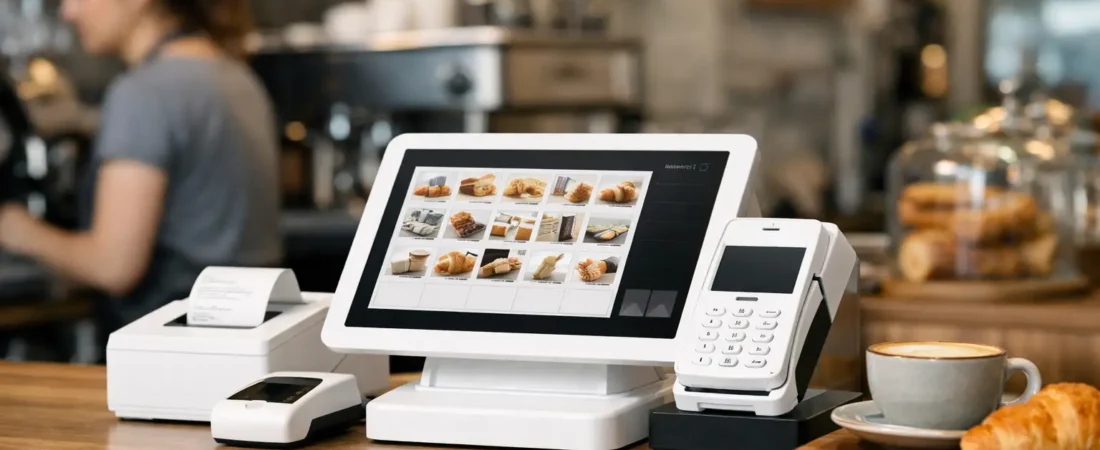
A coffee shop may benefit from a quick touchscreen checkout and integrated card payments. A restaurant may need handheld ordering, table management, kitchen displays, and split-bill options. A retail shop may place more value on barcode scanning, product variants, stock counts, and sales reports. For a salon, appointment-related payments, tips, customer records, and repeat visits may matter more.
The right choice reflects the work your staff already do, while removing unnecessary manual steps.
Best EPOS System Features Worth Paying For
Integrated payments are often one of the most useful features for a small business. When the card terminal and EPOS system work together, the payment amount is sent directly to the terminal. Staff do not have to key it in again, which can reduce errors and speed up the checkout process.
Clear reporting is equally valuable. Good reporting should let you see daily sales, payment types, popular products, refunds, and busy trading periods without building complicated spreadsheets. This gives owners a clearer view of the business and makes it easier to make informed decisions about staffing, stock, opening hours, or promotions.
For hospitality businesses, order management can make a real difference during peak periods. Handheld devices allow staff to send orders from the table, while kitchen displays or printers can help the kitchen work from a clear, time-stamped order queue. This can reduce missed items and unnecessary trips between the dining area and the till.
Stock control is useful when you carry a wide or changing product range. It can help retailers identify fast-selling lines, spot products that are not moving, and avoid selling items that are no longer available. It does require regular product setup and consistent staff use, so it is worth choosing a level of stock management you can realistically maintain.
Customer loyalty tools can also be worthwhile for businesses with regular customers. A simple points or rewards program may encourage repeat visits without relying on paper stamp cards. The key is to keep it easy for both customers and staff.
Choose a Setup That Fits Your Space
Hardware matters as much as software. A compact countertop setup may be ideal for a small counter, while a portable terminal can help a pub, restaurant, or guest house take payment where the customer is seated. Some businesses need both.
Consider your internet connection, power points, counter space, and the likelihood of spills, dust, or heavy daily use. Also think about what happens if Wi-Fi is temporarily unavailable. Your consultant should explain the practical options rather than assuming one setup suits every premises.
A system should also be comfortable for staff to use. Screens need to be easy to read, menus need to be logically organized, and commonly sold items should not take several taps to find. A few minutes saved on every transaction can add up over a busy week.
Avoid Paying for Complexity You Will Not Use
It is easy to be impressed by advanced features, but the best epos system is not the most complicated one. It is the system your team can use confidently after proper training.
Before committing, ask for a demonstration using examples from your own business. If you run a café, see how it handles modifiers such as alternative milk or extra shots. If you operate a restaurant, test moving tables, splitting bills, and sending orders to the kitchen. If you sell retail products, check how quickly staff can find an item, apply a discount, and process a return.
This approach exposes practical issues early. It also helps you decide which features are essential now and which can wait until your business needs them.
Compare Costs Beyond the Upfront Price
The cheapest hardware is not always the lowest-cost option over time, and a higher monthly fee is not automatically poor value. Compare the full picture: equipment costs, software subscriptions, card processing charges, optional features, replacement hardware, and any contract terms.
You should also consider the cost of lost time. If your current process creates queues, duplicate keying, end-of-day reconciliation work, or regular mistakes, a more capable setup may justify its cost by making everyday operations easier.
Cash flow is another consideration. Businesses that take regular card payments may value straightforward pricing and access to payouts without waiting several working days. Same-day payouts, including weekends and bank holidays where available, can provide a clearer view of money coming into the business and help with day-to-day planning.
Ask for costs to be explained in plain language. You should know what you will pay, what is optional, and what support is included before making a decision.
Installation and Training Are Part of the Decision
A good EPOS system can still cause frustration if it is installed without care or staff are left to work it out alone. Product lists, prices, table layouts, receipt settings, tax treatment, printers, and user permissions all need to be configured for your business.
Staff training should cover more than taking a standard payment. Team members should know how to process refunds, correct an order, handle discounts, print receipts, and respond if a device loses connection. Managers should understand how to access reports and make simple changes without disrupting service.
Local, face-to-face help can be particularly useful when changing systems. It gives you the opportunity to discuss your current process, see suitable equipment in action, and receive support during installation. This can reduce disruption for businesses that cannot afford to close or slow down for long.
When Is It Time to Change Your EPOS System?
You may not need to replace your system simply because a newer model exists. It may be time to review it, though, if it is slowing staff down, does not connect payments and sales, produces reports you cannot use, or no longer suits the way you trade.
Other signs include frequent manual errors, limited payment options, difficulty managing stock, and customer queues at busy times. Growth is another reason to review your setup. A single terminal that worked when you started may no longer be enough when you add tables, staff, locations, or product lines.
The best epos system should support the business you run now while giving you sensible room to grow. It should make service easier for staff and customers, not create another job for the owner.
If you are unsure whether your current setup is still right, Richard Bradley at Dorset Business Hub can provide a friendly, no-obligation review. He can discuss how you trade, demonstrate suitable payment and EPOS options, help with installation and training, and provide ongoing support. Contact Dorset Business Hub through the contact page or call Richard on 07377 625228 to talk through your current payment or EPOS setup.

Let’s Talk About Your Business
Hi, I’m Richard Bradley, your local SumUp Business Partner .
I help independent businesses across Dorset reduce card payment costs, choose the right card machines and EPOS systems, and receive honest, local advice.
Questions about this article? Looking to reduce your card payment costs? Book your free, no-obligation payment review today.
✓ Local Dorset Business Partner ✓ Free Payment Review ✓ No Obligation
Book Your Free Payment Review