A busy Saturday morning can expose every weak point in a café’s setup. A queue forms at the counter, a member of staff writes a table order by hand, the card terminal loses connection, and the kitchen receives a ticket late. When owners ask what technology should every café have?, the useful answer is not “everything available.” It is the right connected tools for taking orders, accepting payment, preparing food, and understanding sales without adding work.
For an independent café, technology should make the shift calmer. It should reduce repeated keying, give staff clear information, and help the owner see what is selling when the doors are closed. The ideal setup depends on your service style, menu, staff numbers, and whether you have tables, takeaway trade, or both.
what technology should every café have? Start with the service flow
Before looking at devices, follow a typical order from the customer’s point of view. How do they order? Where do staff enter the sale? How does the kitchen or coffee station receive it? When and where does payment happen? Finally, how is the sale recorded in your reports?
If those stages rely on handwritten notes, separate card machines, and end-of-day totals copied into a spreadsheet, there is usually room to save time. A modern point-of-sale system can bring those jobs together. However, the aim is not to replace a process that already works well just for the sake of it. A small counter-service coffee bar may need a straightforward register and portable terminal. A café with breakfast, lunch, cakes, and table service may benefit from a wider EPOS setup.
Choose technology around the busiest 30 minutes of your day, not the quietest. That is when speed, clear communication, and fewer errors matter most.
1. A reliable card payment terminal
Card payment is now central to most café sales. Your terminal needs to accept contactless, chip and PIN, and mobile wallets quickly, while being simple enough for every member of staff to use confidently.
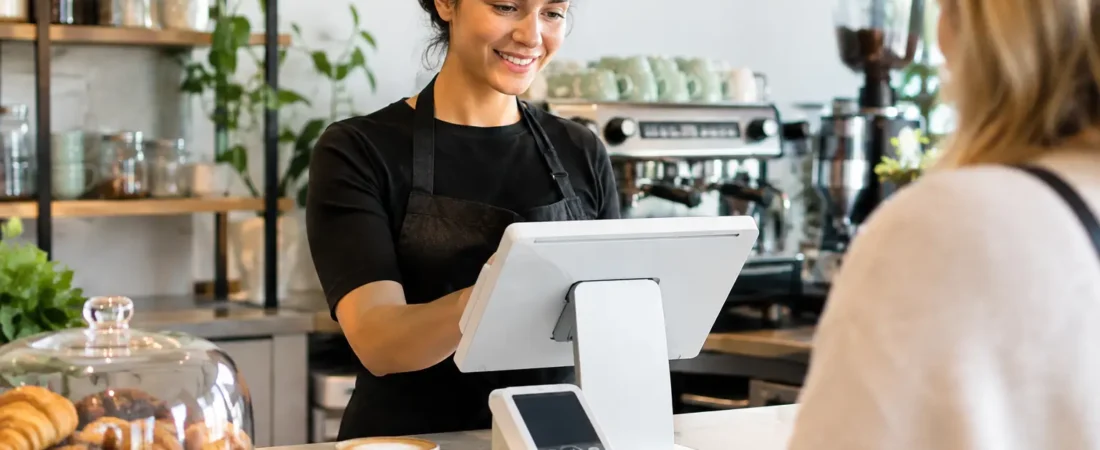
A countertop terminal suits a fixed till position. A portable terminal can be more practical for cafés that take payment at tables, have an outdoor seating area, or serve customers in a queue. Taking the terminal to the customer can also avoid the awkward process of reading out a total, walking back to the counter, and returning with a receipt.
Look beyond the device itself. Ask how settlements work, when funds become available, whether there is clear pricing, and who will help if the setup needs attention. Same-day payouts, including weekends and bank holidays where available, can give a clearer view of cash flow for businesses buying fresh stock regularly.
2. An EPOS register built for café orders
A basic card terminal records a payment. An EPOS register records the sale behind it. This is the difference between simply taking money and being able to see which drinks, food items, modifiers, and offers are driving the day.
For a café, the register should make common orders fast to enter. That may include extra shots, alternative milk, decaf options, eat-in or takeaway pricing, meal deals, and staff discounts. Clear product buttons reduce training time and help avoid mistakes during a rush.
An integrated payment and EPOS setup can reduce manual-entry errors because staff do not need to type a total into a separate terminal. It also gives cleaner reporting, since payments and sales are recorded together. For a business with a compact menu and a single counter, this may be all the technology required to make a noticeable difference.
3. Kitchen printing or a kitchen display
If food preparation happens away from the till, the kitchen needs an immediate, legible order. Printed tickets remain a sensible choice for many independent cafés. They are familiar, affordable, and useful in hot or busy kitchen environments.
A kitchen display can suit a higher-volume operation or a café with separate coffee and food stations. Orders appear on screen, can be marked in progress or complete, and are less likely to be misplaced under a stack of paper tickets. It can also make it easier to identify how long orders are taking.
There is a trade-off. A kitchen display adds equipment and changes staff routines, so it is not automatically right for a small operation making a limited number of food items. If printed tickets are working well, a good printer linked directly to the EPOS system may be the more proportionate choice.
4. Handheld ordering for table service
Handheld ordering is especially useful when staff take orders at tables. Instead of writing notes and entering them later, the server sends the order directly to the EPOS system. The kitchen or coffee station receives it sooner, and the customer is less likely to be asked whether they wanted oat or regular milk because the note was unclear.
This can be valuable for cafés that are busy at brunch or offer afternoon tea, but it is not essential for every venue. In a small room where customers order and pay at the counter, a handheld device may add little. The question is whether staff are regularly walking back and forth simply to enter orders.
Where it does fit, handheld ordering can reduce duplicate work and give staff more time on the floor. Some setups also allow payment at the table, which can speed up the final part of the visit.
5. Clear sales reporting
Good reporting should answer ordinary owner questions without hours of admin. What were the busiest periods? Which cakes sold out first? Is iced coffee performing better than expected? How much did the lunch offer contribute compared with individual items?
A useful EPOS system lets you review sales by product, category, staff member, day, and time. This helps with ordering, staffing, and menu decisions. It is not a substitute for professional financial advice, but it gives you better operational information between conversations with your accountant.
Keep the reports simple at first. A daily sales total, payment breakdown, best-selling items, and void or refund review can be enough to reveal useful patterns. Once those routines are in place, stock and labor decisions become less dependent on guesswork.
what technology should every café have? Add loyalty and digital payments selectively
Loyalty tools can encourage customers to return, particularly where people buy a regular morning coffee or visit weekly for lunch. A digital loyalty program is often easier to manage than paper stamp cards, and it can give customers a clear reason to choose your café again.
Payment links and QR payments can also be useful in specific situations. A payment link may help with deposits for catering, large pre-orders, or private bookings. QR ordering or payment may suit an outdoor area or busy event, but it should not make service feel impersonal where customers value a friendly interaction.
Think carefully before adding every customer-facing feature. Technology should support the character of the café, not turn a welcoming local business into a screen-led experience. A simple loyalty offer that staff understand is more useful than a complicated program no one mentions.
6. Stock control when waste or availability is a problem
Stock control can be worthwhile when you carry a broad food menu, sell retail items, or struggle with regular shortages and waste. Linking ingredients or products to sales can provide a clearer picture of what needs ordering.
For a small café with a short menu and daily deliveries, detailed stock management may create more administration than value. Start by using sales reporting to identify fast and slow movers. If stock issues persist, then consider a system with stronger stock features rather than adding complexity from day one.
7. Support, installation, and staff training
The most overlooked part of café technology is the changeover. A capable system still causes frustration if products are set up poorly, staff have not practiced using it, or nobody knows who to contact when a question arises.
Local support can make the decision easier. Richard Bradley at Dorset Business Hub can review how your café currently takes orders and payments, recommend an appropriate setup, and help with demonstrations, installation, and staff training. As your menu or service model changes, it is also useful to have a person who understands the original setup rather than a generic support queue.
Start with the one bottleneck that costs your team the most time, whether that is a slow payment queue, handwritten orders, missing kitchen tickets, or unclear end-of-day figures. A friendly, no-obligation review of your payment or EPOS setup can help you decide what to change now and what can wait. Contact Richard Bradley on 07377 625228 or use the Dorset Business Hub contact page to talk through your café’s requirements.

Let’s Talk About Your Business
Hi, I’m Richard Bradley, your local SumUp Business Partner .
I help independent businesses across Dorset reduce card payment costs, choose the right card machines and EPOS systems, and receive honest, local advice.
Questions about this article? Looking to reduce your card payment costs? Book your free, no-obligation payment review today.
✓ Local Dorset Business Partner ✓ Free Payment Review ✓ No Obligation
Book Your Free Payment Review