A card terminal can look like a simple purchase until the first busy Saturday, a disputed payment, or month-end reconciliation exposes the gaps in the setup. When you compare card payment providers, the headline transaction rate matters, but it is only one part of the decision. The right choice should fit the way your business actually serves customers, records sales, and manages cash flow.
For an independent café, shop, salon, pub, or guest house, small delays and extra admin soon add up. A payment solution should help staff take payment confidently, give owners useful sales information, and avoid creating another system to manage.
Compare card payment providers by your working day
Start with the customer journey, not a provider’s price page. Consider where payments happen and what staff must do before and after taking them. A counter-service bakery has different needs from a restaurant with table service, while a mobile tradesperson needs something different again.
Ask practical questions. Do customers pay at a fixed counter, at the table, on delivery, or through an invoice? Does a member of staff need to add items before taking payment? Are tips, split bills, refunds, gift cards, or deposits part of a normal week? The answers point toward the type of terminal and software that will save time rather than add friction.
A standalone card reader can be a sensible option for a business with straightforward sales and a small number of transactions. However, if staff key each sale separately into a till and terminal, there is more opportunity for mismatched amounts and end-of-day checking. An integrated payment and EPOS setup can remove that repeated entry by passing the total directly from the register to the terminal.
That does not mean every business needs a full EPOS system. It means the system should earn its place by reducing work, improving visibility, or helping customers buy more easily.
The costs to compare card payment providers
Transaction fees are naturally a central concern, particularly when margins are tight. Compare the percentage charged on the types of card your customers use most often, and check whether the pricing is simple to understand. A clear flat rate can be easier to budget for than a structure with several variables.
Still, do not judge cost by the percentage alone. Look at the total cost of operating the service over a typical month. This may include the purchase or rental of terminals, software subscriptions, optional features, refund arrangements, chargeback administration, and any minimum commitments.
It is also worth considering the cost of time. A lower payment rate may be less valuable if it comes with a lengthy contract, difficult reporting, delayed access to funds, or a system that slows staff down. Conversely, paying for an EPOS subscription may make commercial sense when it replaces handwritten tickets, separate stock records, or hours of manual reconciliation.
Use your own figures to test the difference. Take a normal month’s card sales, apply each provider’s relevant rate, then add known fixed charges. Next, consider what a faster checkout, fewer entry errors, or a clearer daily sales report would be worth to the business. This creates a more realistic comparison than focusing on a single number.
Compare card payment providers on payout timing
Payout timing affects more than bookkeeping. It influences when you can pay suppliers, cover wages, and see what money is genuinely available. Ask when settled card payments arrive in your bank account, whether weekends and bank holidays are included, and whether there are separate rules for new accounts or larger transactions.
For a seasonal business, hospitality venue, or retailer with regular stock deliveries, quicker access to cleared takings can make day-to-day planning easier. Same-day payouts, including weekends and bank holidays where available, can give a clearer view of cash flow after a busy trading period.
Do not confuse a card payment accepted today with money that is ready to use today. Providers describe settlement schedules differently, so check the practical timing for your business account and normal trading pattern.
Choose terminals that suit the service style
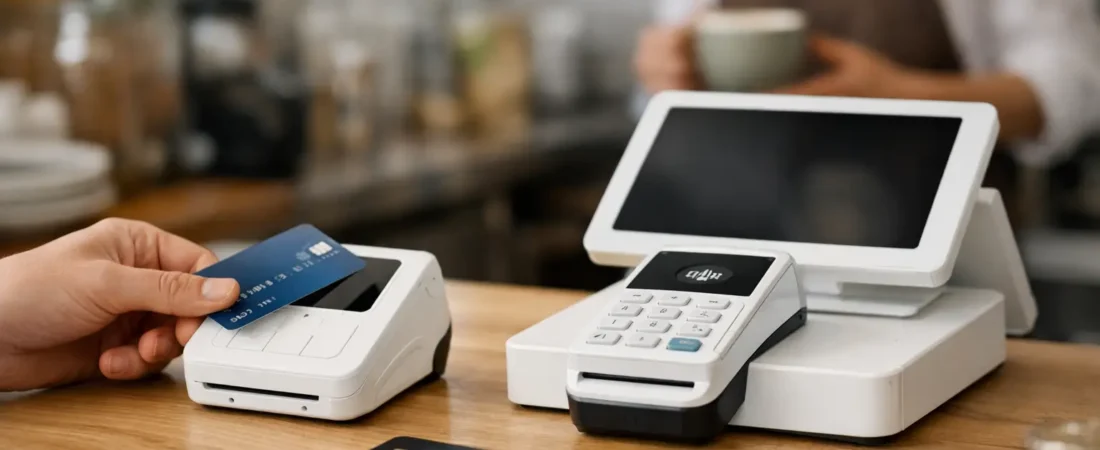
The terminal should be reliable, easy for staff to use, and appropriate for the physical space. Countertop devices suit many fixed checkout points. Portable terminals can work well for table service, outdoor seating, hotel reception, market stalls, and businesses that move around the premises.
Think about connectivity too. A terminal may use Wi-Fi, mobile data, or a combination. If your premises has weak signal in certain areas, test the setup before relying on it during peak trading. Battery life, charging routines, receipt options, and the number of devices needed are equally practical details.
For restaurants and pubs, handheld ordering can be worth considering alongside payment. Staff can take an order at the table, send it to the kitchen, and take payment without walking back and forth to a central till. The benefit is not simply modern equipment. It can mean fewer missed modifications, shorter waits, and more time spent with customers.
Look beyond payments to EPOS and reporting
A provider may offer much more than a terminal. The useful question is whether those extra tools solve a real operational problem. A retail shop may benefit from stock control and product reporting. A café may value kitchen printers, customer loyalty, and quick item buttons. A salon may need payment links for deposits and an easier way to track appointments through its existing process.
Integrated reporting can be particularly helpful. When sales, payment types, refunds, and products are recorded in one place, owners can spend less time matching figures between systems. You may be able to see which days are strongest, which products sell well, and whether discounts or refunds are becoming a pattern worth investigating.
Keep the setup proportionate. Buying every available feature can make training harder and monthly costs less predictable. Choose the functions staff will use regularly, then add more only when there is a clear reason.
Questions to ask during a demonstration
A good demonstration should follow a real sale from start to finish. Ask the provider or consultant to show how staff ring up an item, apply a discount, take a contactless payment, issue a refund, and close the day. If you run hospitality, include a table move, split bill, kitchen order, and tip.
Also ask who can access reports, how permissions work for staff, and what happens if the internet connection is interrupted. If you use accounting software, check what information can be exported or integrated, then confirm the process with your accountant if necessary.
The aim is not to find the system with the longest feature list. It is to find one that makes routine tasks easier for the people who will use it every day.
Support matters when something goes wrong
Support is easy to overlook while everything is working. It becomes more significant when a terminal needs replacing before service, a new staff member needs training, or you want to change the way orders are handled.
Consider whether you will receive help from a person who understands your setup, what support is available outside standard office hours, and whether installation and training are included. A self-service option may suit a confident owner with a simple operation. A business introducing EPOS for the first time may gain more value from local, face-to-face guidance.
For Dorset businesses, Richard Bradley at Dorset Business Hub can review how you currently take payments, demonstrate suitable SumUp payment and EPOS options, and help with installation and staff training. The focus is on a setup that works in your premises and continues to work as the business changes.
Avoid comparing like-for-unlike offers
One common mistake is comparing a basic card reader with a package that includes EPOS software, reporting, support, and multiple terminals. Neither is automatically the better option. They are simply designed for different requirements.
Write down what each quote includes before making a decision. Note the terminal model, number of devices, payment rate, software plan, payout schedule, contract terms, reporting tools, and level of support. This makes it far easier to spot where an apparently cheaper option leaves out something your business will later need.
It can also help to involve the people who use the system. A manager may care most about reports and refunds, while front-of-house staff notice whether the checkout feels quick and clear. Their input can prevent an expensive mismatch.
Make the decision with confidence
The most useful payment provider is not necessarily the one with the lowest advertised rate or the largest range of features. It is the one that matches your sales volume, service style, cash-flow needs, and capacity for administration. Review the complete picture, including the experience for customers and staff.
If you would like a friendly, no-obligation review of your current card payment or EPOS setup, contact Richard Bradley at Dorset Business Hub on 07377 625228 or use the Dorset Business Hub contact page. A short conversation can clarify what you are paying for now and whether a simpler, better-fitting setup would help your business.

Let’s Talk About Your Business
Hi, I’m Richard Bradley, your local SumUp Business Partner .
I help independent businesses across Dorset reduce card payment costs, choose the right card machines and EPOS systems, and receive honest, local advice.
Questions about this article? Looking to reduce your card payment costs? Book your free, no-obligation payment review today.
✓ Local Dorset Business Partner ✓ Free Payment Review ✓ No Obligation
Book Your Free Payment Review