The busiest part of a Saturday morning is a poor time to discover that staff are writing orders on scraps of paper, checking prices from memory, and manually adding card totals at the end of a shift. If you are asking, do i need an epos system?, the useful answer is not simply based on the size of your business. It depends on where time is being lost, where mistakes are occurring, and what information you need to run the business with more confidence.
For some independent businesses, a card terminal and a simple cash drawer are enough. For others, an EPOS system can remove daily friction from taking orders through to reporting sales. The right setup should make work easier for your team and customers, not add another complicated process to manage.
Do i need an epos system? Look for daily pressure points
An EPOS system is most valuable when it solves a problem you experience repeatedly. A café may be dealing with queues at the counter and unclear communication between front-of-house staff and the kitchen. A salon may need a clearer view of popular services, staff sales, and repeat bookings. A shop may be spending too long checking stock or working out which products are actually selling.
Start by looking at a normal busy day. Can staff put an order through quickly and accurately? Are prices, discounts, and product options consistent? Can you see what has sold without waiting until the end of the week? If the answer is often no, an EPOS system deserves consideration.
It is also worth looking beyond the till. Owners often spend evenings reconciling transactions, checking paper receipts, and trying to understand whether a busy day was genuinely profitable. A modern setup can bring payment records and sales reporting together, making administration more straightforward.
Signs your current setup may be holding you back
You do not need a complex system simply because other businesses use one. However, a change may be worthwhile if several of these situations sound familiar:
- Staff regularly key in prices, orders, or card amounts by hand.
- Customers wait while team members check availability, calculate totals, or find the right product.
- Stock levels are uncertain until someone counts items manually.
- End-of-day reconciliation takes longer than it should or produces avoidable discrepancies.
- You cannot easily identify your busiest times, highest-selling items, or quieter periods.
- Orders between tables, the bar, and the kitchen are sometimes missed or misunderstood.
One issue on its own may be manageable. Several issues usually point to a process problem rather than a staff problem. The goal is to give your team a clear, repeatable way to take payments and manage sales when the business is busy.
Do i need an epos system if I already take card payments?
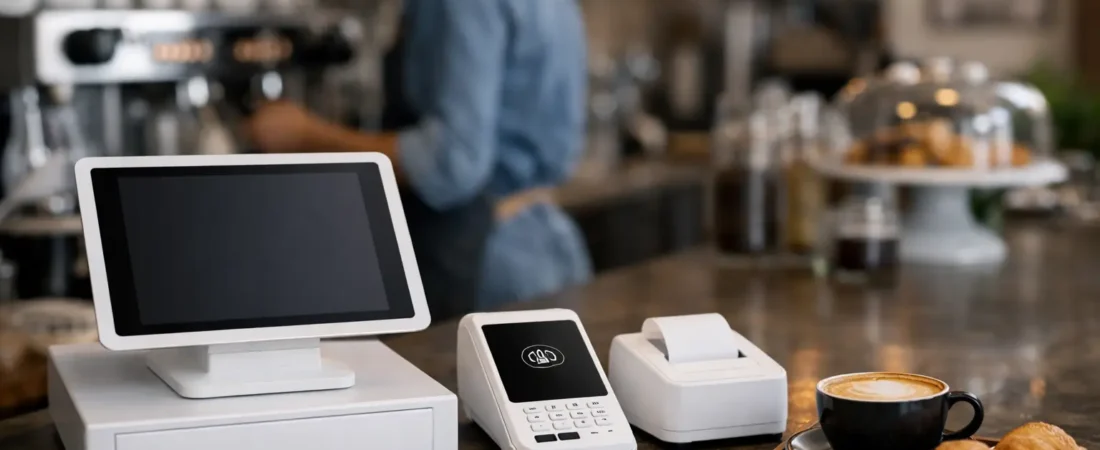
Possibly, but a card terminal and an EPOS system do different jobs. A payment terminal takes the customer’s payment. An EPOS system records what was sold and can connect that sale to products, stock, tables, orders, staff activity, and reports.
For a tradesperson or small service business taking occasional payments, a portable card terminal may be all that is needed. It is quick to use, keeps payment separate from the job, and may suit a business with a straightforward list of services.
For a restaurant, pub, bakery, boutique, or busy salon, the sales process often has more moving parts. You may need to split bills, send orders to a kitchen printer or display, track product variations, apply a loyalty reward, or review sales by item. Integrated payments and EPOS can reduce double entry because the payment amount follows the sale rather than being entered twice.
That distinction matters. Entering totals manually can work, but it creates opportunities for small mistakes during a rush. Integration is not essential for every business, yet it is often helpful where transaction volume is high or the order itself contains several details.
Consider the customer experience as well as the counter
Customers rarely ask whether you use EPOS. They notice whether ordering feels organized, whether the bill is correct, and whether they can pay in the way that suits them. Fast contactless payments, clear receipts, payment links, QR payments, and table ordering can all be useful in the right setting.
A good EPOS setup can help a pub manage tables more clearly, let a restaurant send orders directly to the kitchen, or allow a shop to find an item without searching through a handwritten price list. These are small improvements individually. Together, they can make a busy business feel calmer and more reliable.
Customer loyalty tools may also be useful for businesses that rely on repeat visits, such as coffee shops, salons, farm shops, and local retailers. They should not be treated as a replacement for good service. However, a simple reward can give regular customers a reason to return and gives you a clearer picture of buying patterns.
Do i need an epos system for stock and reporting?
Stock control and reporting are common reasons to move beyond a basic till, but the depth you need will vary. A florist with changing seasonal stock has different requirements from a guest house selling a small range of extras, and both differ from a convenience store with hundreds of products.
At a basic level, reporting should answer practical questions quickly. What sold today? Which items bring in the most revenue? When are you busiest? Are discounts being used as expected? Better visibility helps you plan staffing, purchasing, and promotions based on actual sales rather than instinct alone.
Stock features can be especially helpful when products are routinely missed, over-ordered, or sold out unexpectedly. That said, stock control only works well when product records are kept current. If nobody has time to add deliveries, amendments, and wastage, a highly detailed stock system may create more work than value. Choose a level of detail your team can realistically maintain.
Weigh the cost against the time it returns
The right question is not whether an EPOS system is the cheapest option. It is whether it earns its place in your operation. Consider the time spent on manual administration, the cost of pricing or order errors, the impact of queues, and the value of clearer sales information.
There will be costs for hardware, software, and card processing, depending on the setup. Some businesses also need accessories such as receipt printers, kitchen printers, barcode scanners, cash drawers, or handheld devices. It makes sense to choose only what supports your current way of working, with room to grow if needed.
Cash flow is another practical factor. Businesses that depend on regular card takings may value clear payment records and access to funds promptly. Same-day payouts, including weekends and bank holidays where available, can make day-to-day cash flow easier to monitor. Review the full pricing structure alongside the features, rather than focusing on one headline figure.
Choosing a setup that fits your business
Before committing, map the journey from customer order to completed payment. Think about who takes the order, where it needs to appear next, how staff handle changes or refunds, and what you need to know after closing time. This will show whether you need a simple register, a countertop terminal, portable devices, kitchen tools, table management, or a combination.
If you are still wondering, do i need an epos system?, avoid choosing purely on the number of features. The most useful system is usually the one your staff can learn quickly and use consistently. A smaller setup that is properly installed and understood is often more effective than an elaborate system that staff avoid.
Training is part of the decision, not an afterthought. Staff should know how to process sales, correct mistakes, handle refunds within your own procedures, and find the information they need. It is also helpful to have someone available when a new menu, seasonal product range, or different way of working means the setup needs adjusting.
A practical next step
If your current process is slow, unclear, or creating unnecessary admin, it may be time to review it. You do not have to replace everything at once, and you may find that a better card-payment setup solves the problem without a full EPOS system.
Richard Bradley at Dorset Business Hub can discuss how your business operates, demonstrate suitable payment and EPOS options, and provide local installation, staff training, and ongoing support. For a friendly, no-obligation review of your current setup, call 07377 625228 or use the Dorset Business Hub contact page. A short conversation can help you decide what would genuinely make the next busy day run more smoothly.

Let’s Talk About Your Business
Hi, I’m Richard Bradley, your local SumUp Business Partner .
I help independent businesses across Dorset reduce card payment costs, choose the right card machines and EPOS systems, and receive honest, local advice.
Questions about this article? Looking to reduce your card payment costs? Book your free, no-obligation payment review today.
✓ Local Dorset Business Partner ✓ Free Payment Review ✓ No Obligation
Book Your Free Payment Review