A customer has chosen an item, the line is building, and the final step should take seconds. That is where the right shop card machine earns its place. For an independent store, cafe, salon, or service business, taking payment is not simply a transaction. It affects queue times, staff confidence, daily administration, and how easily you can see what has been sold.
The right choice is rarely about having the most features. It is about choosing a setup that suits the way your business actually trades. A small boutique with one counter needs something different from a busy cafe taking orders at tables, or a farm shop processing a steady stream of payments throughout the day.
Start With How Your Business Takes Payments
Before comparing terminals, look at a typical busy period. Where do customers pay? Does staff need to take payments away from the counter? Are receipts useful for customers or for your own records? Do you enter prices manually, or would it save time for the payment amount to come directly from your till system?
A compact portable terminal can be a sensible choice for a market stall, mobile beauty business, tradesperson, or a small shop with occasional card payments. It is straightforward, takes up little room, and can move where it is needed.
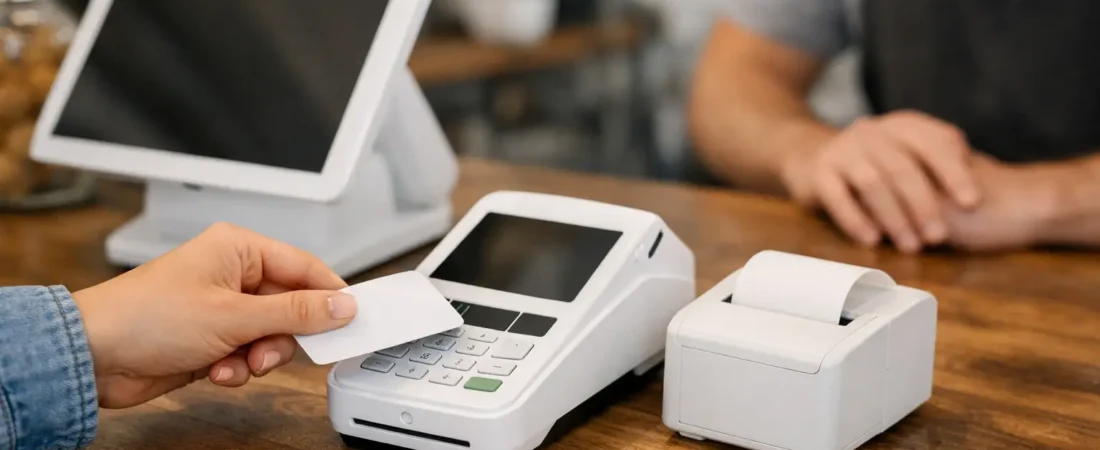
For a fixed counter, a countertop device may be more practical. It gives staff a clear place to complete every sale and can help keep the checkout area organized. In a cafe, pub, restaurant, or hotel, portable devices can reduce trips back and forth to the till. Staff can take the payment at the table, which is often more convenient for customers and can help turn tables over more efficiently.
The question is not which format is better. It is which one removes the most friction from your current routine.
When a Shop Card Machine Should Connect to EPOS
Manual price entry is manageable when there are only a handful of transactions. As sales increase, it can become a source of avoidable mistakes. A missed decimal point, an incorrect amount, or a payment recorded against the wrong item all take time to sort out later.
An integrated payment and EPOS setup sends the sale total from the register to the card terminal. Staff do not need to key in the price a second time. Once payment is complete, the sale is recorded against the relevant products, table, or service.
This can be particularly useful where a business sells many items, offers different sizes or variations, or needs a clearer record of what is moving. A bakery can see which lines sell early in the day. A salon can separate services from retail products. A restaurant can connect orders, tables, kitchen tickets, and payments rather than relying on handwritten notes and separate devices.
Integration does involve a little more planning than a standalone terminal. You need to set up products, prices, and staff processes properly. However, for a business already spending time correcting errors or reconciling figures, that initial work can make everyday administration much simpler.
A Shop Card Machine Is Only One Part of the Checkout
The payment device matters, but the wider checkout process matters more. A busy food business may benefit from handheld ordering, kitchen displays, printers, and table management alongside card payments. A retail store may place greater value on barcode scanning, stock control, and sales reports.
Avoid paying for functions you will not use. At the same time, do not choose a basic setup solely because it is familiar if it leaves staff repeating tasks that software could handle. A practical consultation should begin with your current workflow, then identify the one or two improvements likely to save the most time.
Check the Costs That Affect Daily Trading
Payment pricing needs to be understandable. Look at the card processing rate, whether there are monthly software or device costs, and what is included in any EPOS package. The lowest-looking fee does not always represent the lowest overall cost if the system creates extra manual work, lacks useful reporting, or does not fit how you serve customers.
It also helps to consider cash flow. Knowing when card takings reach your account makes it easier to manage supplier payments, wages, and routine expenses. Same-day payouts, including weekends and bank holidays where available, can be valuable for businesses with regular daily trading and tight purchasing cycles.
Ask for pricing to be explained in plain terms. You should know what you pay per transaction, what ongoing charges apply, and which services are optional. This makes it easier to compare your current arrangement fairly without getting distracted by features that will not benefit your business.
Make Payment Easy for Customers and Staff
Customers expect to pay quickly, whether they are tapping a card, using a phone, or receiving a payment link remotely. Small delays at checkout are noticeable, particularly when people are buying a coffee before work or queuing at a lunchtime counter.
Staff need an equally simple process. If a new team member cannot learn the checkout flow quickly, the system may add pressure rather than reduce it. Clear product buttons, sensible categories, and a payment screen that follows the natural order of a sale all make a difference.
For businesses that take deposits, sell over the phone, or invoice customers after a job, payment links can provide another practical option. They allow the customer to pay from their own device and give the business a record of the transaction without needing to handle card details verbally. QR payments may also suit selected situations, such as a table-service venue or a small display at a counter, but they should support a clear payment journey rather than complicate it.
Use Sales Information to Make Better Decisions
A payment system should do more than confirm that money has been received. Good reporting can show daily totals, busiest times, popular products, refunds, discounts, and sales by staff member. This information is useful because it is based on actual transactions rather than guesswork.
For example, a coffee shop may find that a certain lunch item sells well only on particular days. A boutique may spot products that have not moved for several months. A pub may use sales patterns to plan staffing for a busy event weekend. These are small operational decisions, but they can add up.
The useful reports are the ones you will check. Start with a daily sales view and a simple product report. If your accountant or bookkeeper needs information in a particular format, ask whether accountancy integration will reduce the need for manual exports and data entry. It is worth confirming this before committing to a system.
Plan Installation and Staff Training
Even a well-chosen system can disappoint if it is rushed into use. Allow time to set up product names, prices, tax settings where applicable, receipt options, user access, and any hardware such as printers or kitchen displays. Test the most common transactions before a busy service.
Staff training should cover more than taking a standard payment. Team members should know how to issue a refund, find a previous sale, handle a declined transaction calmly, and close down at the end of the day. Managers should also know where to find sales reports and how to spot something that needs attention.
Local support can be especially helpful at this stage. An on-site demonstration lets you see the equipment in your own workspace, ask questions based on real tasks, and avoid buying a setup that looks suitable on paper but does not suit your counter, Wi-Fi coverage, or service style.
Choosing a Shop Card Machine With Confidence
A suitable shop card machine should make payment feel routine for everyone involved. Customers should be able to pay without delay. Staff should be able to complete a sale accurately. Owners should be able to see what has happened during the day without a pile of manual checks.
If you are reviewing an existing terminal, opening a new location, or considering an EPOS upgrade, start with your daily operation rather than a device specification. Think about where the bottlenecks are, what staff repeat unnecessarily, and which information would help you run the business more clearly.
For a friendly, no-obligation review of your current payment or EPOS setup, contact Richard Bradley at Dorset Business Hub on 07377 625228 or use the Dorset Business Hub contact page. A short conversation can help turn a confusing choice into a practical next step that works for your business.

Let’s Talk About Your Business
Hi, I’m Richard Bradley, your local SumUp Business Partner .
I help independent businesses across Dorset reduce card payment costs, choose the right card machines and EPOS systems, and receive honest, local advice.
Questions about this article? Looking to reduce your card payment costs? Book your free, no-obligation payment review today.
✓ Local Dorset Business Partner ✓ Free Payment Review ✓ No Obligation
Book Your Free Payment Review